
Linkano - links that follow your work
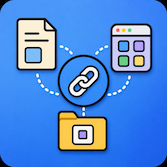
Linkano helps you build durable links between everything you work on on macOS.
Capture files, web pages, mail, notes, PDF pages, and more from the menu bar — then connect, search, open, and copy stable linkano:// links that survive renames and moves.
Download free trial · Buy a license
macOS 14+ · 14-day trial · Local-first · Optional iCloud metadata sync
Why Linkano
- Menu bar, always nearby: Open the panel with ⌃⌘L, the context graph with ⌃⌘G, and preferences with ⌘, — keyboard-first workflows without leaving your apps.
- One-keystroke capture: Save what you are looking at in Finder, Safari (and Chromium browsers), Mail, Notes, Preview (including PDF pages), iWork, Microsoft Office, Calendar, Contacts, Obsidian, iA Writer, Everlog, DEVONthink, CodeRunner, and more.
- Links that last: File links use bookmarks, size hints, and optional content fingerprints — not fragile paths alone. When matching is uncertain, you choose the correct file.
- Personal context graph: Bidirectional relations between saved items; explore with scopes (All, Context, Orphans, Weak, Suggested), filters, and dashed suggested edges you can accept.
- Stable Linkano URLs: Every item has
linkano://open/<uuid>— paste into notes, task managers, or terminals; Linkano resolves through your library. - Copy your way: Plain URL, Markdown, Linkano link, or Linkano Markdown — ⌘C uses your default from Settings → General (PDF titles include page numbers when set).
- Backlinks & relations: ⌘K to link two items; ⌘B for backlinks; remove relations without deleting items.
- File repair: Settings → Advanced → File Repair scans only folders you approve — never the whole disk silently.
- Backup & portability: Export/import your library as JSON (merge or replace). Optional iCloud sync for metadata across Macs — file contents are never uploaded.
- Privacy by design: No account, no ads, no in-app analytics. Your library stays in SQLite on your Mac unless you enable sync.
- Licensed fairly: 14-day trial on first launch; activate with a license key from your purchase in Settings → License.
Get started
- Download the trial and open the ZIP (signed app outside the Mac App Store).
- Grant macOS permissions when prompted (Automation for most integrations; Calendar, Contacts, or Accessibility where needed).
- Click the chain icon in the menu bar → Open Linkano (⌃⌘L).
- Work in a supported app, open Linkano, select the capture row, press Return.
- Link items with ⌘K, copy links with ⌘C, explore the graph with ⌃⌘G.
Hide Dock icon (default on) keeps Linkano menubar-only; enable Launch at login in Settings → General if you want it always available.
New in 1.5.2
- Keyboard-first panel with trackpad support: scroll to move selection, double-click to open, context menus, and full shortcut coverage.
- Context graph with floating toolbar, scope modes, type/app/tag filters, suggested relations, and relation navigation keys.
- Preview PDF pages in capture and open flows (Apple Events + Accessibility fallback).
- Microsoft Office capture for Word, Excel, PowerPoint, Outlook, and OneNote.
- Library export/import with merge/replace preview in Settings → Advanced.
- Optional iCloud sync for link metadata (off by default).
- 14-day trial and license activation in Settings → License (one-time online check; stays licensed until removed on this Mac).
- Sparkle updates when a release is published to the appcast.
The Linkano panel
Open with ⌃⌘L (customizable in Settings → Keyboard).
| Shortcut | Action |
|---|---|
| Type | Search titles, URLs, notes, tags |
| ↑ / ↓ or scroll | Move selection |
| Return | Open / capture / finish linking |
| ⌘N | Add item manually |
| ⌘K | Link from selection |
| ⌘B | Backlinks |
| ⌘C | Copy (default format) |
| ⌘↩ | Action menu |
| ⌘⌫ | Delete link (with confirmation) |
| Esc | Close / cancel |
When the active app matches something in your library, the menu bar icon can show a green highlight.
Context graph
Open with ⌃⌘G.
| Scope | Shows |
|---|---|
| All | Full library (with filters) |
| Context | Neighborhood around active context |
| Orphans | Items with no relations |
| Weak | Only one relation |
| Suggested | Items with dashed suggestion edges |
Filter by link type, source app, or tag. Select a node to Open, Link, Remove relation, or Delete. Reload syncs iCloud (if enabled) and refreshes layout.
Opening & copying
- Web → default browser
- Files → Finder or default app (with move/rename reconciliation)
- PDF → Preview with page jump when
#page=Nis in the locator - Mail →
message://when possible - Notes, iWork, Office, Calendar, Obsidian, iA Writer, Everlog, DEVONthink, CodeRunner → app-specific handlers
Copy formats (Settings → General): URL, Markdown, Linkano link, Linkano Markdown.
Example stable link:
linkano://open/<uuid>
Example PDF locator:
file:///Users/you/Documents/report.pdf#page=12
Settings overview
| Area | What you configure |
|---|---|
| General | Launch at login, Dock icon, default copy format, link-found sound |
| Keyboard | Global shortcuts for panel and graph |
| Sync | Optional iCloud metadata sync |
| Files | Approved search folders for repair |
| License | Trial status, license key, purchase links |
| Advanced | Export/import library, file repair, erase all data |
| About | Version, Start Here, privacy notice, terms, Contact Support |
Supported apps
Active context capture and reopen behaviour for Finder, Preview (PDF), Safari and Chromium browsers, Mail, Notes, Pages, Numbers, Keynote, Word, Excel, PowerPoint, Outlook, OneNote, LibreOffice, Calendar / Fantastical, Contacts, Obsidian, iA Writer, Everlog, DEVONthink, and CodeRunner. See Docs/SUPPORTED_APPS.md (published on the site as supported-apps.html) for the full table.
Full bundle IDs and capture details: SUPPORTED_APPS.md in this repository.
Manual
The User Manual covers every feature in depth: core concepts, capture, linking, graph keyboard shortcuts, sync, backup, file repair, license, and limitations.
License & trial
- Trial: 14 days from first launch — capture, add, and link work during the trial.
- After trial: Search and open keep working; capture, add, and link need a license key.
- Activation: Enter your key in Settings → License (one online check, then licensed on this Mac until you remove it).
- Purchase: Buy a license · Find your license key (same email as purchase).
Security & privacy
- Library stored locally under
~/Library/Application Support/Linkano/. - No Linkano account, advertising, or in-app analytics.
- Optional iCloud sync uses your private CloudKit database — metadata only, not file contents.
- License activation sends your key once to the developer’s validation service.
- macOS may request Automation, Calendar, Contacts, or Accessibility only when a feature needs them.
In the app: Settings → About → Privacy Notice… and Terms of Use…
Backup before risky changes
Always export from Settings → Advanced → Export Library… before:
- Replacing the local library via import
- Erasing all Linkano data
- Large sync or file-repair experiments
Imports support Merge (upsert by ID) or Replace Local Library (destructive).
Disclaimer
Linkano is provided as is by an independent developer. It is not a secure vault, legal archive, backup product, or guaranteed storage system. You are responsible for your data, backups, and compliance with third-party app terms and applicable law. See Settings → About → Terms of Use… in the app.